If the product page already has a color selected for The Row scarf, but the order confirmation page only shows the product name and no color note, do not jump to the conclusion that the color is lost based on the blank page, and do not immediately create a duplicate order. Instead, verify the actual variant, order identifier, and note transfer status to confirm what you're ordering before deciding whether to proceed with payment or shipping.
Distinguish Three Situations First
The order confirmation page lacking color text could correspond to three different issues:
- The page does not display the color, but the actual variant is still retained in the order data.
- The color was selected on the product page, but it was not transferred to the order or note field.
- The order summary information is incomplete, and the current page cannot confirm the actual purchased variant.
These three situations cannot be resolved with a single conclusion. In particular, relying solely on the order title or thumbnail usually cannot confirm the specific color of the scarf.
Save Purchase Evidence in Order
Before proceeding with payment or requesting shipment, save screenshots or records of the following pages in order. Each step should retain the product name, page URL, order number, or other identifying information to avoid being unable to match the same order later.
1. Save the Product Detail Page
Record the product name, product link, and currently selected color on The Row scarf product page. If the page displays the color name, color code, or variant number, save it completely; do not just record a self-summarized description like "gray."
If the color option comes from a dropdown menu, color swatch, or image button, the screenshot should include both the selected state and the option name. If the option name is not shown in the screenshot, it will be difficult to prove later which variant was selected.
2. Save the Variant Selection State
Check again whether the product page is still on the target color. Key points to confirm:
- Whether the color button has a selected style;
- Whether the page displays the corresponding SKU, variant number, or specification text;
- Whether changing the color changes the product link, SKU, or specification information;
- Whether the color selection requires a separate click to confirm or add to cart.
Do not guess the name based on the appearance of the color image, and do not treat the generic color word in the product title as proof of the selected variant.
3. Check the Cart Item
Open the cart and verify the name, quantity, color, SKU, or variant identifier of the same product. If the cart only retains the product main title without any identifiable color or variant information, record this gap first before proceeding to check the order page.
If there are multiple identical products in the cart, you must record the quantity and identifying information of each item to avoid mistaking another item for the target scarf.
4. Check the Order Confirmation Page
On the order confirmation page, verify the order number, product link, product name, quantity, note field, and variant field. If the page does not show a color note, determine whether it is "not displayed" or "not transferred":
- If the order still has an SKU, variant number, or complete link that can correspond to the product page, the color may be saved in other fields, but do not conclude based solely on the current page.
- If the order only shows a product name that cannot distinguish the color, and there is no SKU, variant number, note, or verifiable link, the actual variant cannot be confirmed from the order summary.
- If the note field is empty, but the product page and cart both showed the color, retain the before and after page evidence and ask official support to confirm the order data, rather than creating a new order yourself.
5. Continue Checking Warehouse Inbound Information After Payment
If the order has been paid, wait for the warehouse inbound or item inspection page to appear, then verify that the product photo, product name, SKU, color information, and order number match. If the warehouse page has no color field, you cannot judge whether it is the target variant based solely on the photo color.
If the variant shown on the warehouse page cannot be matched with the product page selection record, pause shipping and submit evidence for verification.

Figure: Illustration of the verification direction between page fields and pre-purchase evidence, not an actual The Row scarf, QC, or first-hand evidence.
How to Determine Whether You Can Continue
The prerequisite for continuing is that at least one stable set of order identity information can link the product page selection to the order, such as order number plus product link, or order number plus a clear SKU or variant number. Even if the color text is not displayed, you should first have official support confirm the actual color represented by this information.
If you only have a product title, a vague thumbnail, or an order entry that cannot distinguish the color, it is insufficient to confirm the variant. Do not interpret "order generated" as "color selection correctly transferred."
What to Submit to Official Support
When contacting platform official support, try to submit complete information at once:
- Order number;
- Product link;
- Screenshot of the selected color on the product page;
- Screenshot of the cart page;
- Screenshot of the order confirmation page;
- Screenshot of the filled color note or empty note page;
- If already in the warehouse, attach the warehouse page and product photos.
The problem description should state directly: which color was selected on the product page, but the order confirmation page does not show a color note, please confirm the variant or SKU actually bound to the order. Do not just send "color is missing," otherwise support staff may not know which field to check.
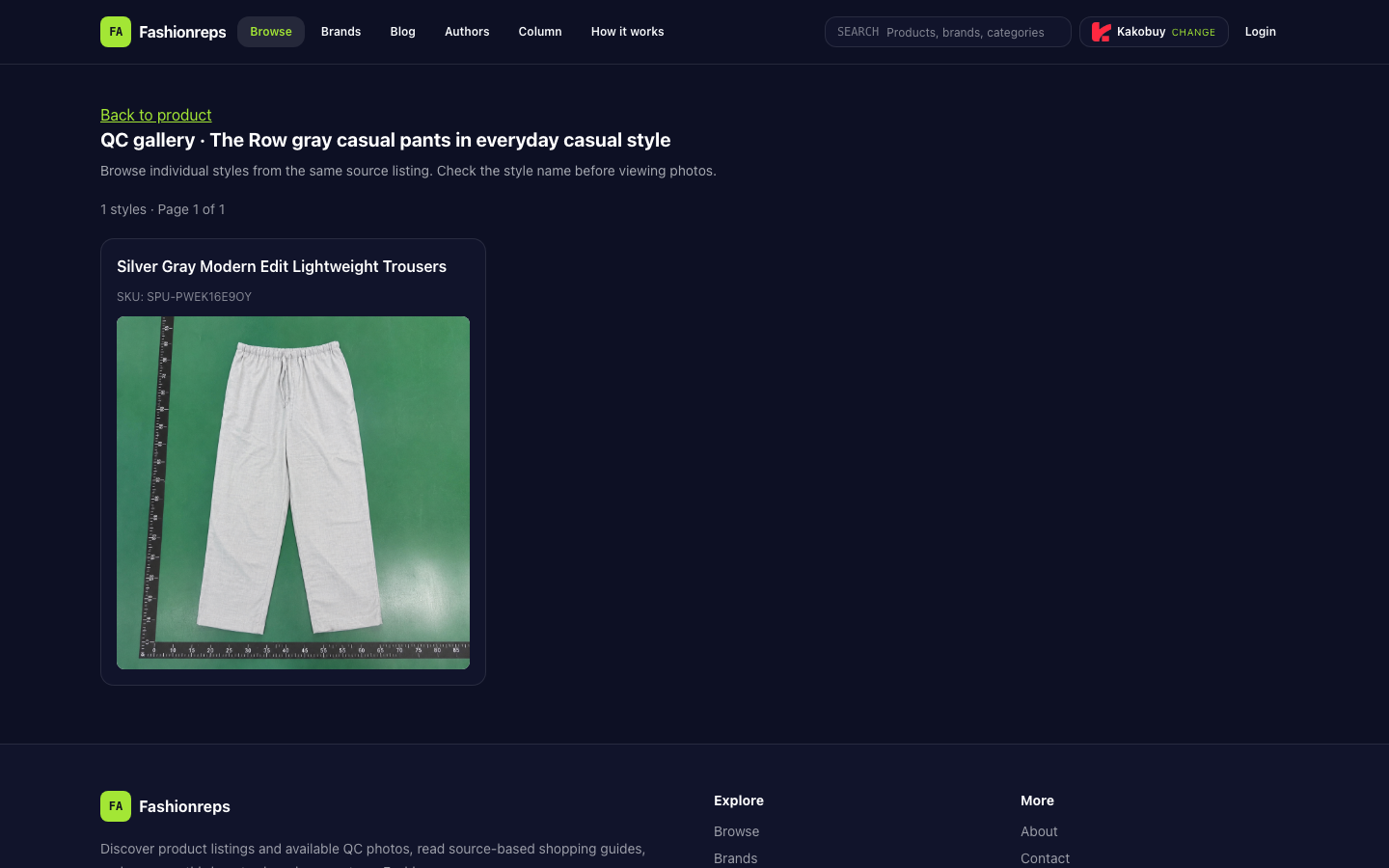
Currently, the only verifiable relevant page evidence shows a The Row gray pants QC page named "Silver Gray Modern Edit Lightweight Trousers" and its SKU "SPU-PWEK16E9OY." This is not a scarf order, nor does it prove the scarf color or order variant, so it cannot substitute for the scarf's own order evidence.
When to Stop Operations
If any of the following occurs, pause payment, shipping, or reordering first:
- The color selection record on the product page has been lost;
- The order has no color, SKU, variant number, or corresponding product link;
- Multiple orders for the same product have been created, and it is unclear which one retains the target color;
- The product identity shown in the cart and order confirmation page is inconsistent;
- The warehouse inbound page cannot confirm the actual variant;
- Official support has not yet confirmed the color bound to the order.
The purpose of stopping operations is to preserve existing orders and evidence, avoiding duplicate payments, duplicate purchases, or letting the wrong variant enter the shipping process. Only after official support clearly confirms that the original order cannot retain the target variant and explains the subsequent handling method should you consider canceling, modifying, or recreating the order.