When buying NBA jerseys, whether a coupon is truly valid cannot be determined just by seeing "available" or "claimed" on the claim page. What you really need to confirm is: does this coupon apply to the current item, does it meet the order threshold, does it exclude specific brands or categories, and how much does the final amount decrease at checkout. 🏀
This article provides a pre-checkout verification method based on fashion-reps' product discovery process. Currently, there is no verifiable official coupon code, fixed discount, or validity period information, so no unconfirmed discount promises are provided. The article also does not conduct order placement, payment, or receipt testing, and readers should rely on the real-time information shown on the checkout page before submitting the order.

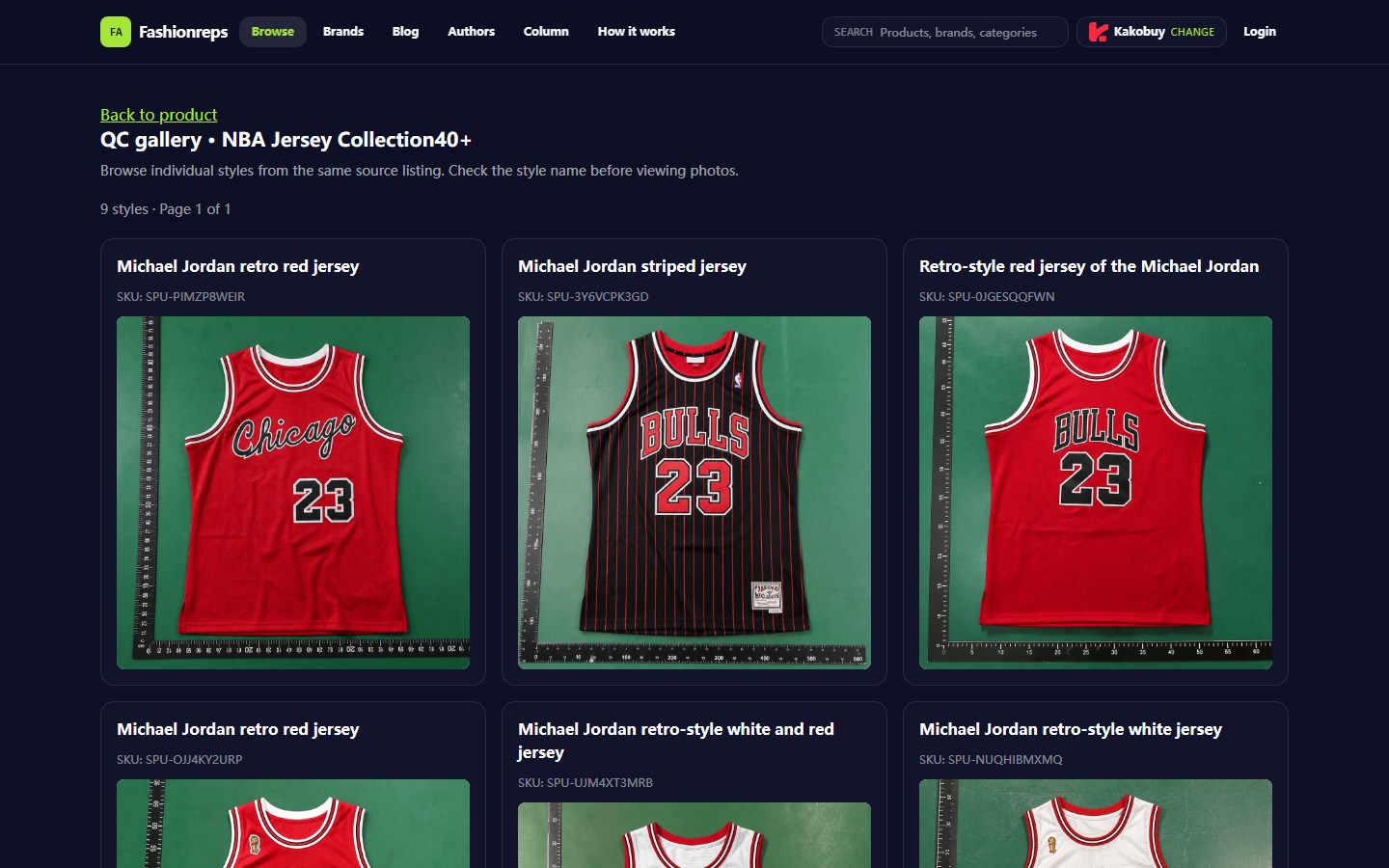
Image: fashion-reps NBA jersey product collection and QC image entry, used to confirm product style, not as proof of discount amount or inventory.
Clarify the Checkout Decisions for NBA Jersey Coupon Verification
Before checkout, the question to answer is not "Is there a coupon?" but "After using this coupon, is this order still suitable to submit?" You need to complete three decisions:
- Does the current jersey meet the coupon's product, brand, or category conditions?
- Does the discount cover the coupon threshold, and is it not offset by shipping fees, service fees, or other charges?
- Does the final amount due shown on the checkout page match your budget and shipping plan?
If the coupon's applicable scope, validity period, or discount calculation method cannot be confirmed, mark the order as pending verification instead of estimating savings based on search results, old screenshots, or third-party claims. 🔎
Record Team, Style, Size, Color, and Current Price from fashion-reps Product Page
First open the specific product page and record the product name, team or player elements, style, color, available sizes, and current displayed price. The NBA jersey collection page may contain multiple similar products, so you cannot apply one style's price, size, or discount conditions to another just because the thumbnails look similar.
It is recommended to keep the following information before proceeding to checkout:
- The full product name or style name displayed on the product page.
- The selected color, size, and quantity.
- The unit price and currency currently displayed on the product page.
- Whether the product is from the same source listing or just a similar style in the collection page.
- Whether there are any visible inventory, pre-sale, or special handling notices.
- Whether you can view the corresponding QC images or other product information.
The product page price can only be used as a record of the item amount and cannot be directly regarded as the final order amount. Service fees, domestic shipping, warehousing, packaging, international shipping, and payment fees from purchasing agents or shopping proxies usually need to be confirmed separately in the subsequent process.
Check Coupon Claim Status, Validity Period, and Applicable Order Threshold
After claiming the coupon, review the conditions on the coupon face or official discount description one by one. Key points include discount amount or percentage, minimum order amount, maximum discount amount, start time, end time, usage limit, and whether it requires a specific account or activity entry.
"Claimed" only means the coupon has entered your account or page status, not that it can be used on the current order. Pay special attention to the following situations:
- The threshold may only count eligible item amounts, not shipping and service fees.
- The minimum amount may be calculated on the pre-discount amount or after deducting other discounts.
- The validity period may be determined by platform time, account location time, or the time zone shown on the activity page.
- One-time coupons, first-order coupons, and account-specific coupons may not be transferable to other accounts.
- Expired, used, or maxed-out coupons should not be counted in the budget.
If the page does not show clear threshold, validity period, and applicable scope, do not treat vague "limited-time offers" as confirmed checkout discounts. ⏱️
Check Brand, Category, Amount, Shipping, and Service Exclusions
Coupon restrictions are not limited to product names; they may also relate to product category, activity source, brand logo, order type, or shipping method. For NBA jerseys, you should separately confirm whether the current item falls within the applicable category in the discount description, and you cannot judge eligibility solely based on the presence of NBA, basketball, or team names in the product title.
Also check for the following exclusions:
- Specific brands, stores, source listings, or activity items are excluded from the discount.
- Clearance, pre-sale, custom, or special size items are not applicable.
- The discount only applies to the item amount, not to domestic shipping or other additional fees.
- Certain shipping routes, warehouse services, or agency services are not included in the activity.
- The coupon cannot be stacked after using other discounts, points, or account balance.
- The order amount meets the threshold, but the eligible item amount does not.
If the coupon face only says "some items apply," continue to look for a verifiable list of applicable items or checkout prompts. When in doubt, the conservative approach is to calculate the budget as if the coupon is not used.
Distinguish Product Discounts, Service Fees, Payment Fees, Packaging Fees, and Shipping Fees
A coupon usually only reduces one cost item, so you cannot attribute all changes in the order total to the coupon. It is recommended to break down the checkout amount into several parts for observation:
| Cost Item | What to Confirm Before Checkout | Can It Be Directly Considered a Coupon Discount? |
|---|---|---|
| Item Amount | Jersey unit price, quantity, color, and size | Only if clearly reduced on checkout page |
| Service Fee or Agency Fee | Whether calculated per order, item, or amount | Usually not by default |
| Domestic Shipping Fee | Seller-to-warehouse shipping cost | Need to check specific order prompts |
| Packaging or Storage Fee | Combined package, reinforcement, overstay storage, etc. | Cannot be inferred from product discount |
| International Shipping and Payment Fees | Route, weight, volume, and payment method | Usually need separate confirmation |
If the item amount decreases but the total amount due does not decrease as expected, other fees may have been recalculated on the same page. In that case, record each item before and after the discount instead of just comparing the total at the top of the page. 💰
Compare Pre-Discount and Post-Discount Amounts, Currency, and Applicability Prompts at Checkout Page
After adding the item to the order, proceed to the checkout step where the coupon result is displayed. Do not enter a coupon code from an unverifiable source before submitting the order, and do not pay immediately just because the button shows "applied successfully." You need to check:
- Does the coupon name or identifier match the coupon you claimed?
- Does the discount amount or percentage actually appear in the order details?
- Are the pre-discount item amount, post-discount amount, and final amount due clear?
- Has the page currency changed, and are exchange rates or conversion amounts explained separately?
- Does the discount only affect the item amount, or also other fees?
- Do you see prompts like "not applicable to current item" or "threshold not met"?
- After changing size, color, quantity, or shipping plan, is the coupon still valid?
You can use a simple formula to double-check:
Final Amount Due = Item Amount + Service and Handling Fees + Shipping Fees + Other Fees − Confirmed Discount Amount
The formula only helps check arithmetic and does not replace the platform's judgment of coupon eligibility. If the checkout page does not clearly show the discount amount, do not write the estimated discount into the actual savings.
When No Official Discount Information Is Available, Only Build a Verification Table, Do Not Fabricate Coupon Codes or Discounts
When there is no current official discount description, coupon face information, or checkout page results, the most reliable approach is to create a pending verification record:
- Product: Enter the specific NBA jersey style, color, size, and quantity.
- Item Amount: Record the amount and currency shown on the product page.
- Coupon Status: Record unclaimed, claimed, used, expired, or unknown.
- Threshold: Enter the minimum amount clearly shown on the official page; leave blank if no information.
- Exclusions: Record brand, category, shipping route, or account restrictions.
- Checkout Result: Only fill in the actual discount amount after the checkout page clearly shows the discount.
- Verification Time: Record the date and time zone when you viewed the page to identify outdated information.
Do not use old activity screenshots, search summaries, or coupon codes from other platforms as evidence for the current order. If official information cannot be found, do not write conclusions like "enter a certain code to get a discount" or "definitely save a certain amount."
Final Action: Decide to Submit, Adjust Items, or Pause Based on Checkout Evidence
After completing the verification, you can make three decisions based on evidence:
- Submit the order: The coupon's applicable scope, threshold, validity period, and checkout amount are clearly displayed, and the final amount meets your budget.
- Adjust the order: The coupon only applies to some items, so you can compare the actual amount after changing style, quantity, or shipping plan, but reconfirm sizes and product conditions.
- Pause checkout: The coupon status, applicable scope, or final amount cannot be confirmed, or the discount amount is not enough to offset the added fees.
The final savings should be based on the discount clearly shown on the checkout page, not on the coupon face value or estimated discount. Using a coupon may reduce the item amount, but it may also come with minimum spend, limited items, no stacking, or specific shipping conditions. It is suitable for buyers who are willing to check order details item by item and whose budget allows price changes; not suitable for those who cannot accept fee fluctuations, must lock a fixed total, or cannot view real-time discount conditions.
Before submitting payment, save the item amount, discount amount, service fees, shipping fees, currency, and final amount due from the order details. If these items are not clearly displayed, pausing is usually safer than relying on unverified discount information. ✅
Article Images