
Define the specific symptoms of an invalid Balenciaga fall/winter shoe coupon
When browsing Balenciaga shoes on fashion-reps, a coupon not working doesn't necessarily mean the code is wrong. Common symptoms include: the claim button disappears, an error message after entering the code, no change in cart total, price reverting at checkout, or discount amount not matching what's shown on the product page.
This article focuses on one specific task: helping you determine from page fields whether the issue lies in product eligibility, coupon conditions, or shipping, service fees, and currency conversion. No publicly verifiable current coupon codes or fixed discounts were confirmed during research, so don't treat any example amounts as a promised discount. Pages, inventory, product status, and coupon rules may change; recheck before placing an order. 🔎
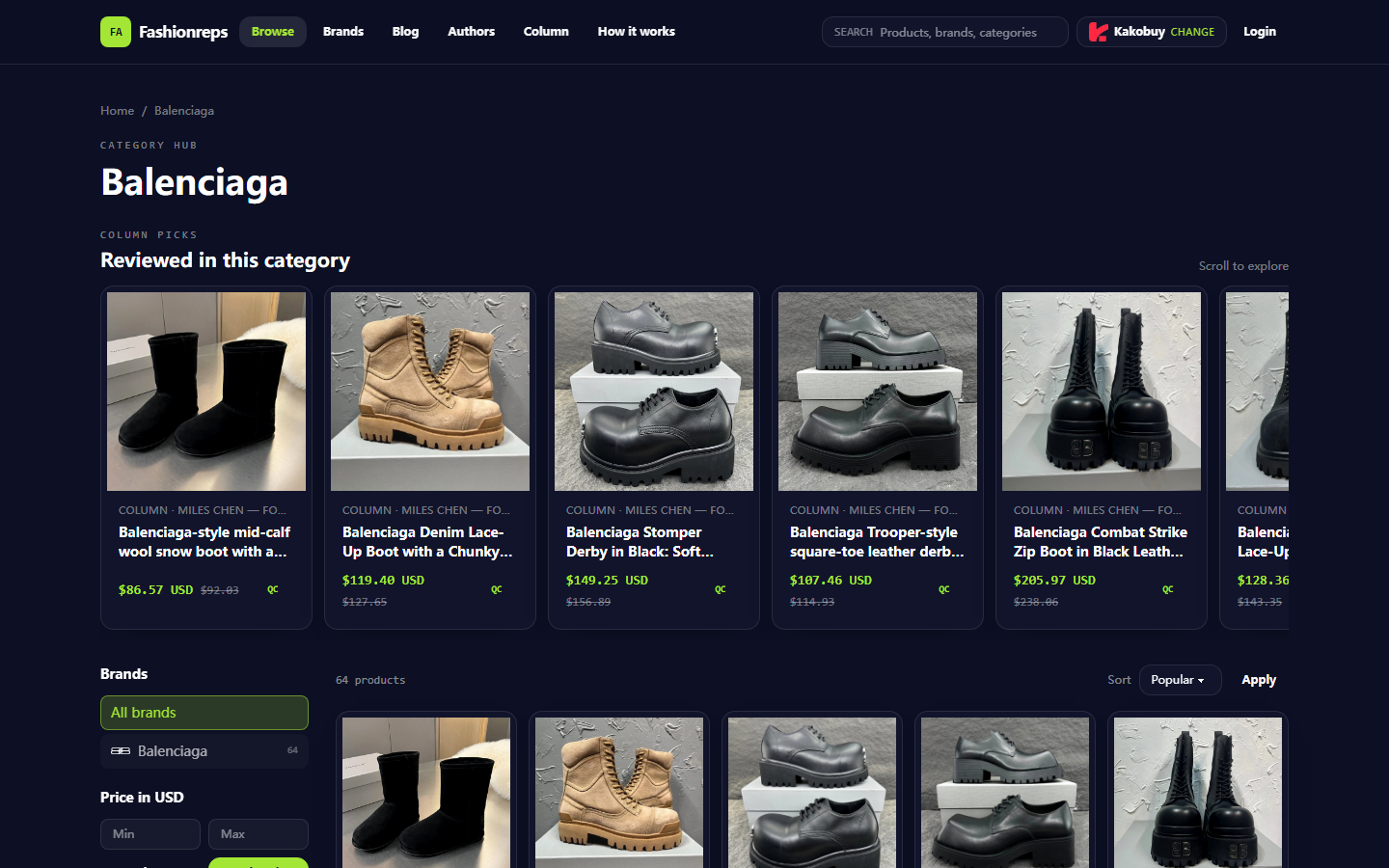
In page samples, various fall/winter style shoes appear, such as mid-calf snow boots, Strike mid-calf boots, chunky Derby shoes, EVA boots, and zip-up Combat-style boots. Their prices, colors, sizes, and product statuses are not all identical, so the same coupon cannot be assumed to apply to the entire brand category.
Save visible fields from product, cart, and checkout pages
When a coupon fails, don't repeatedly refresh or immediately place the order. Save the following information in order:
- Product name, product page URL, and time the page was opened.
- Current displayed price, whether there's a strikethrough reference price, and currency unit.
- Color, size, quantity, and inventory or purchase availability shown on the page.
- Whether the product page displays any claim, use, or promotion instructions.
- Cart subtotal, discount amount, service fee, shipping fee, and estimated total.
- Coupon status on the checkout page, exchange rate, shipping route, and tax notices.
- Exact error message text, especially phrases like "conditions not met," "not applicable to product," "expired," or "cannot be combined."
Screenshots should cover name, address, phone number, order number, payment information, and other personal data. Keeping complete fields is more useful than only capturing the coupon input box, because the problem may occur in product eligibility or fee calculation. 🧾
Check coupon validity period, usage threshold, and applicable variants
If the page provides coupon details, verify in the following order:
- Start and end time of the validity period, noting which time zone the page uses.
- Whether the minimum spending amount is calculated on product subtotal, pre-discount amount, or amount after other discounts.
- Applicable scope: entire platform, specific category, specific product, or specific color and size.
- Whether login, first-time use, specific account, specific payment method, or specific shipping route is required.
- Whether it is limited to one use per account, per order, or per promotion period.
- Whether clearance, special-priced, pre-sale, out-of-stock variants, or specific brands are excluded.
- Whether combining with other promotions, points, shipping discounts, or service fee discounts is restricted.
If the details page does not explicitly state the applicable conditions, do not infer eligibility based on button color, historical price, or product title. When there is no verifiable fixed coupon code, the most reliable approach is to rely on the coupon details and actual checkout page display, rather than copying unconfirmed codes from third-party posts.
Check if shoe color, size, and product status change eligibility
Different variants of the same shoe may correspond to different inventory records. A coupon valid for black size 40 does not mean it is valid for gray size 42 or another material.
Confirm on the product page item by item:
- Whether the selected color is still covered by the coupon description.
- Whether the selected size is in stock, or whether the page switched product status due to being out of stock.
- Whether the product has changed from regular inventory to pre-sale, limited, clearance, or other special status.
- Whether increasing quantity exceeds the single order limit.
- Whether the product in the cart still matches the product page just viewed.
Especially for fall/winter shoes, size ranges, restock status, and seasonal inventory changes can be rapid. Page samples previously showed specific size ranges for some shoes, but this cannot be inferred to mean all shoes and all colors have the same inventory or coupon eligibility. Size and inventory should be reconfirmed when preparing to check out. 👟
Distinguish coupon failure from changes in service fees, exchange rates, or shipping fees
Sometimes the coupon is applied but the final payable amount doesn't change noticeably, and the reason may not be the coupon itself. Break down the fees:
- Product subtotal: confirm whether the discount directly affects the product price.
- Discount amount: confirm whether the discount appears as a positive reduction, or has been replaced by another promotion.
- Service fee: confirm whether the platform service fee is calculated independently.
- Shipping fee: confirm whether shipping route, package weight, or volume changes affect the shipping fee.
- Exchange rate: confirm whether the page currency and payment channel conversion are consistent.
- Taxes or import fees: confirm whether the page states that the buyer bears them, and whether they are displayed separately at checkout.
Don't attribute a total price decrease directly to the coupon, nor judge a shipping fee increase as coupon failure. Coupons usually only affect the product amount that meets the rules, and may not cover service fees, shipping, taxes, or conversion differences from payment channels.
After selecting products on the fashion-reps page, the purchase process may continue to the page of the selected shopping agent. The agent platform's own service fees, storage fees, international shipping fees, and delivery rules should be checked separately from the fashion-reps product page. The product reference price on the platform page cannot replace the final settlement amount on the agent platform. 💱
Re-verify claim, application, and checkout steps in page order
It is recommended to use the same account and the same set of products, and re-operate in the following order:
- Reopen the product page and confirm product name, color, size, quantity, and current price.
- Check whether the page still shows a coupon entry or promotion instructions.
- If claiming is required, complete the claim first, then add eligible products to the cart.
- In the cart, confirm that products have not been replaced with other colors, sizes, or statuses.
- When entering the coupon code, do not add extra spaces, and do not mix expired codes with new codes.
- Check the eligibility message returned by the system, not just whether the input box accepts the text.
- Go to the checkout page and record product subtotal, discount, service fee, shipping fee, and total separately.
- Only decide whether to proceed after the final amount, delivery conditions, and fee responsibility are clear.
If the discount disappears after re-operating, save before and after page evidence, then stop repeated submissions. Repeated clicking may trigger account usage limits, or create multiple pending carts or order records.
How to preserve evidence and contact official support when the page gives no clear reason
When the page only shows "coupon unavailable" without specific explanation, prepare a concise verification record:
- Product name, color, size, and quantity.
- Coupon name or promotion title shown on the page.
- Claim time, attempted application time, and the time zone shown on the page.
- Product subtotal, discount amount, service fee, shipping fee, and total settlement amount.
- Complete error message and consecutive screenshots.
- Account status used, shipping country or region, and whether a specific agent or route was selected.
When contacting official support, submit only the minimum information needed to resolve the issue. Do not publicly share complete orders, passports, payment cards, full shipping labels, or screenshots containing personal addresses. You can request a clear answer: whether the promotion applies to the current product, variant, account, shipping region, and checkout time, and which fees are not included in the discount calculation.
If customer service does not confirm the applicable conditions, do not interpret a vague reply as a guarantee of discount. Coupon rules, inventory, and page prices should still be based on the latest page before order submission.
Complete the Balenciaga pre-order coupon troubleshooting checklist
Before submitting the order, confirm item by item:
- The product page, cart, and checkout page show the same shoe.
- Color, size, quantity, and inventory status have been rechecked.
- The coupon validity period covers the current operation time.
- The calculation method for the minimum spending threshold is clear.
- The product does not fall into the exclusion range.
- Stacking rules, account restrictions, and payment conditions have been confirmed.
- The discount amount is displayed separately and not confused with service fees, shipping fees, or exchange rate changes.
- The selected purchasing agent's fees and delivery conditions have been checked separately.
- Page screenshots have personal information covered and necessary fields retained.
- No unverified coupon codes, historical prices, or third-party claims are treated as current discount guarantees.
The final judgment should be based on the conditions and settlement results clearly displayed on the current page. If the page never provides validity, threshold, applicable scope, or failure reason, the safest choice is to pause the order and wait for official explanation, rather than continue submitting in pursuit of uncertain savings.