
First, Confirm the Specific Variant You Want to Buy
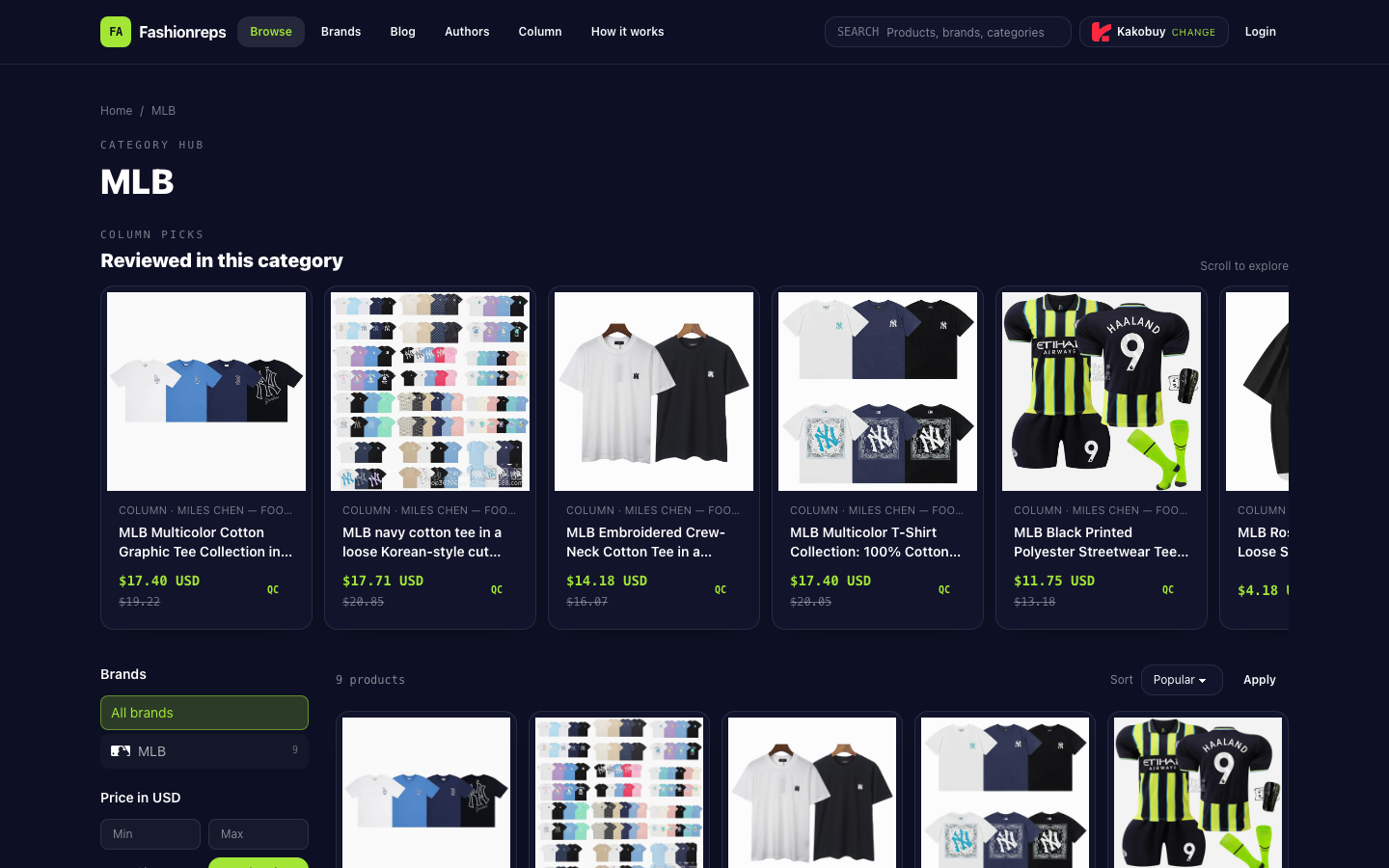
Fashionreps' MLB category page currently displays a collection of MLB T-shirts, listing 9 products. The colors, prints, materials, fits, and size ranges vary among the products; for example, some styles are labeled S–XXL, while others cover S–4XL or S–5XL. Therefore, coupon eligibility cannot be judged solely by the keyword "MLB jersey"; you must first lock down the specific product and variant.
Before ordering, record the following information:
- Product name or page title
- Color, print, or style number
- Size
- Current price shown on the product page
- Stock or availability status shown on the page
- Corresponding quantity after adding to cart
The reference prices shown on the category page range from $3.73 to $17.71, but these are reference prices and cannot be directly considered as the final checkout price, nor can they be used to infer that a particular item meets the coupon threshold.
When Coupon Information Is Insufficient, Do Not Assume Eligibility
The current verified MLB category page information only provides product listings, variant details, and reference prices, with insufficient evidence to confirm any active coupon, discount code, or exclusive promotion. Therefore, you cannot assert the existence of a fixed discount, minimum spend, brand exclusions, validity period, or stacking rules.
If a coupon entry appears on the product page or in the cart, record the actual details shown on the promotion page item by item:
- Applicable brands, categories, or product scope
- Minimum spend amount, and whether it is calculated based on item subtotal or order total
- Whether specific colors, sizes, sets, or promotional items are excluded
- Promotion start and end times
- Whether usage is limited per account or per order
- Whether it can be combined with other on-site discounts
- Whether the discount applies only to the product amount, excluding service fees, shipping, or other charges
If these fields are not clearly displayed on the current page, the coupon must be considered as pending verification; promotional text or historical prices cannot be used as proof of a current coupon.
Step-by-Step Verification from Product Page to Checkout Page
1. Lock the Variant on the Product Page
First select the specific color, style, and size, then record the product price shown on the page. Do not test the coupon without selecting a complete variant, because different variants may correspond to different stock, prices, or promotion eligibility.
2. Recheck After Adding to Cart
Confirm that the product name, thumbnail, color, size, quantity, and unit price in the cart match the product page. If the cart automatically changes the variant, removes an out-of-stock option, or alters the quantity, resolve these discrepancies before determining whether the coupon is applied.
3. Enter or Select the Coupon
Only use the coupon when the current page clearly provides a coupon code, a claimable coupon, or an applicable promotion. Record the item subtotal, coupon amount, and total amount due before and after entering the code; if the page indicates that you do not meet the conditions, keep a record of the message rather than repeatedly submitting the same code.
4. Confirm Actual Deduction on the Checkout Page
On the checkout page, at least verify:
- Whether the item subtotal matches the cart
- Whether the coupon name or code is still displayed
- Whether the coupon amount has been deducted from the order
- Whether service fees, shipping, and other charges are calculated separately
- The currency used for the final amount due
- The time of inquiry before submitting the order
Only when the coupon results in an actual deduction in the checkout details can it be confirmed as applied to this order. The presence of the word "promotion" on the product page, display of an old reference price, or a success message after entering the code cannot individually prove that the final amount has been reduced.
Recommended to Keep a Verification Record
Before payment, you may save screenshots of the product page, cart, and checkout page, and write down the inquiry time, variant, item subtotal, coupon amount, and final amount due. If the coupon exists on the product page, disappears in the cart, or the amount reverts after recalculation on the checkout page, prioritize the checkout page and pause payment until the promotion conditions are clearly explained.
There are currently no verified coupon codes or discount amounts, so it cannot be guaranteed that a particular MLB item will receive a discount. The most reliable criterion is: the specific variant meets the promotion conditions listed on the page, and the coupon is actually deducted in the checkout details; if either step is missing, the coupon should be considered unconfirmed.