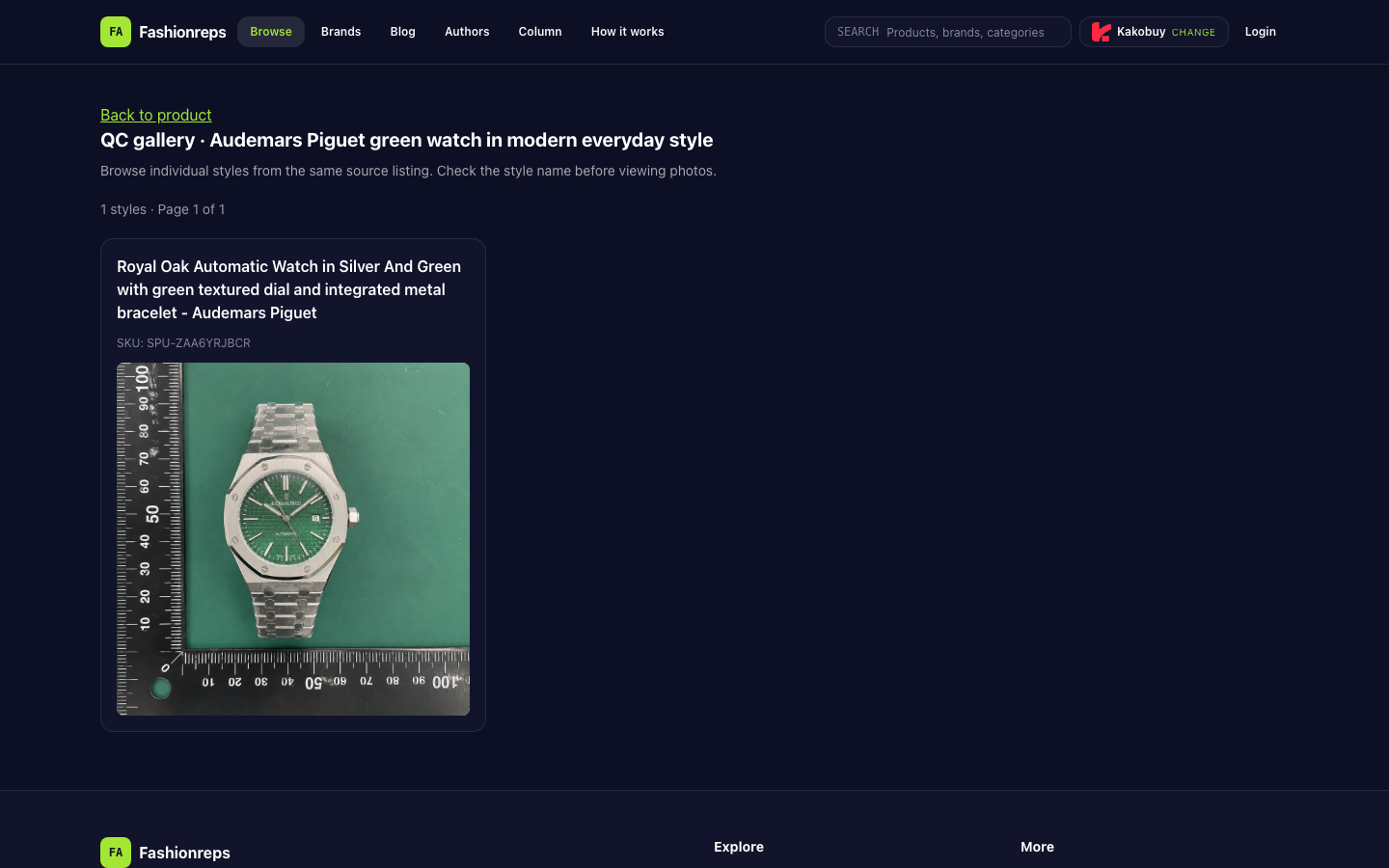
After payment is complete, do not pay again just because the order status has not changed promptly. The currently verifiable information only confirms that the page corresponds to a silver and green integrated metal bracelet watch named "Royal Oak Automatic Watch in Silver And Green" and that the page provides a QC gallery. There is no evidence that the payment succeeded, that the order belongs to a specific account, or that the platform is currently experiencing a system issue. Therefore, focus on checking whether the payment receipt, order number, and product variant match.
Save Your Payment and Product Information First
Before closing the payment page or clearing notifications, save the following information:
- The order number or reference number shown on the payment page
- The payment time, payment amount, and payment method
- Screenshots and notification emails showing whether the payment succeeded, is processing, or failed
- The original product page URL
- The product name, watch model, or variant name
- The account email, username, or other order ownership information
- The current order status and last updated time
Product evidence shows that the identifiable variant on the relevant page is "Royal Oak Automatic Watch in Silver And Green." If your payment record, order summary, or cart shows a different product name, do not assume they are the same product based only on similar images. First, preserve a record of the discrepancy.

Check Three Statuses in Order
1. Check the Payment Method Status
First, check the transaction status through the actual payment method. Clearly distinguish between "successful," "processing," "canceled," and "failed." Do not assume that an order was created based only on a browser redirect or a payment notification.
If the payment method shows that the transaction is processing, save the transaction receipt and wait for the payment method to provide a final result. Paying again at this point could cause a duplicate charge.
If the payment method shows that the transaction failed or was canceled, preserve the failure reason and time, then check whether the account created an order draft. Do not immediately resubmit the payment just because the page still shows that payment is pending. First rule out the possibility that the original transaction is delayed in posting.
2. Check the Order Record
Log in to the account that created the order and check the order list, order details, and order update time. Confirm that the order number matches the number on the payment receipt. If they do not match, it is not currently possible to confirm which order the payment belongs to.
Also check whether the order still contains the following information:
- Product name or watch model name
- Product variant or style field
- Quantity
- Amount due and amount paid
- Order creation time
- Current processing status
The page information only supports the product variant name and QC gallery details. It does not prove that a particular payment was correctly recorded by the platform. Therefore, if the order lacks the watch model or variant field, do not treat successful payment as confirmation that the product identity has been verified.
3. Check Order Ownership
Confirm that the payment account, ordering account, and email receiving the order notifications all belong to the same account. Check whether you used a different login method, a guest checkout option, or another email address.
If a payment receipt exists but no account's order list contains the corresponding order, do not create a second order yet. Organize the payment receipt, transaction time, amount, order number, or payment reference number and provide them together to official customer service for an ownership check.
What to Do When Payment Succeeded but the Status Has Not Updated
After confirming that the payment method shows a successful transaction, the order number matches, and the product information remains identifiable, you can submit a ticket through the official customer service or help option provided on the order page. Keep the submission concise and include:
- The order number or payment reference number
- The payment time and amount
- The final status shown by the payment method
- The current order status and last updated time
- The product name and variant name
- A screenshot or receipt showing successful payment
- The specific questions you want customer service to confirm: whether the payment has been credited, whether the order belongs to the current account, and whether the product variant has been retained
Do not send your full payment card number, verification code, account password, or other sensitive authentication information in public comments or to unofficial contacts. Whether customer service can restore the status, manually record the order, or adjust the product information must be determined by its verification results. The current information is insufficient to promise any particular outcome.
Stop Further Action Immediately in These Situations
Pause payment, variant changes, order cancellation, or a second purchase if any of the following occurs:
- The payment method shows that the transaction is processing, but the order page asks you to pay again
- You have been charged but cannot find the corresponding order number
- The account on the payment receipt does not match the account on the order page
- The order amount does not match the payment amount
- The order lacks identifiable product or variant information
- The statuses on the payment page, order page, and notification contradict one another
- You cannot confirm that the customer service entry point belongs to the official channel
In these situations, the priority is not to make the page display a particular status as quickly as possible. First establish the connection between the payment, order ownership, and product identity. The available evidence supports only the relevant product page and variant name. It does not prove that the payment was correctly credited or that the order is currently affected by a platform system issue.